
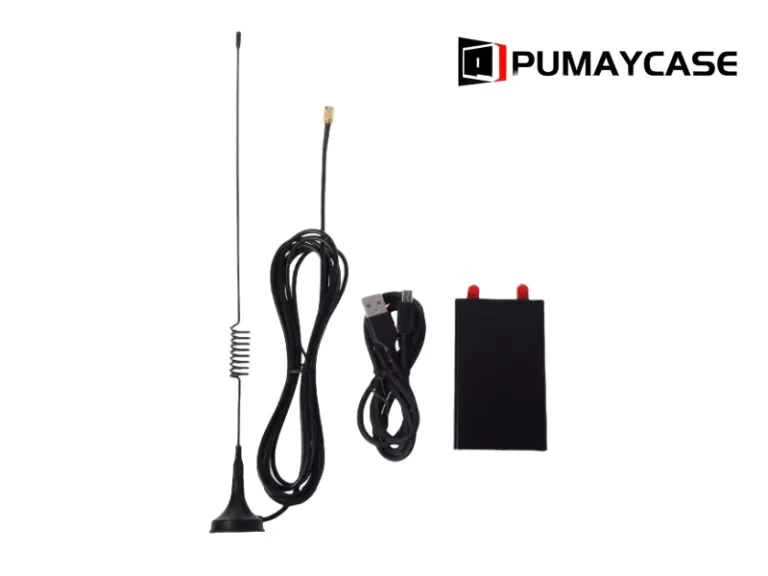
SDR Receiver Enclosure Setup: How Can Beginners Avoid Noise, Heat, and Assembly Problems?
Engineers often focus on PCB layout first. But enclosure risk can delay testing, shipping, and launch. I use a simple review flow to reduce that risk.
For SDR aluminum enclosure, buyers should check structure, machining, surface finish, protection level, and supplier communication before ordering. This is especially important for compact communication experiments moving into field-ready devices.

Table of contents
- What problem should engineers solve first?
- Which enclosure details affect production risk?
- How should buyers prepare the RFQ package?
- Engineering Review Checklist
- Technical Notes and References
What problem should engineers solve first?
A weak enclosure decision creates late changes. Late changes affect PCB position, connector fit, gasket pressure, and delivery. I start with the real use environment.
Engineers should define installation position, heat source, cable direction, sealing target, and service method before choosing or customizing an aluminum enclosure.
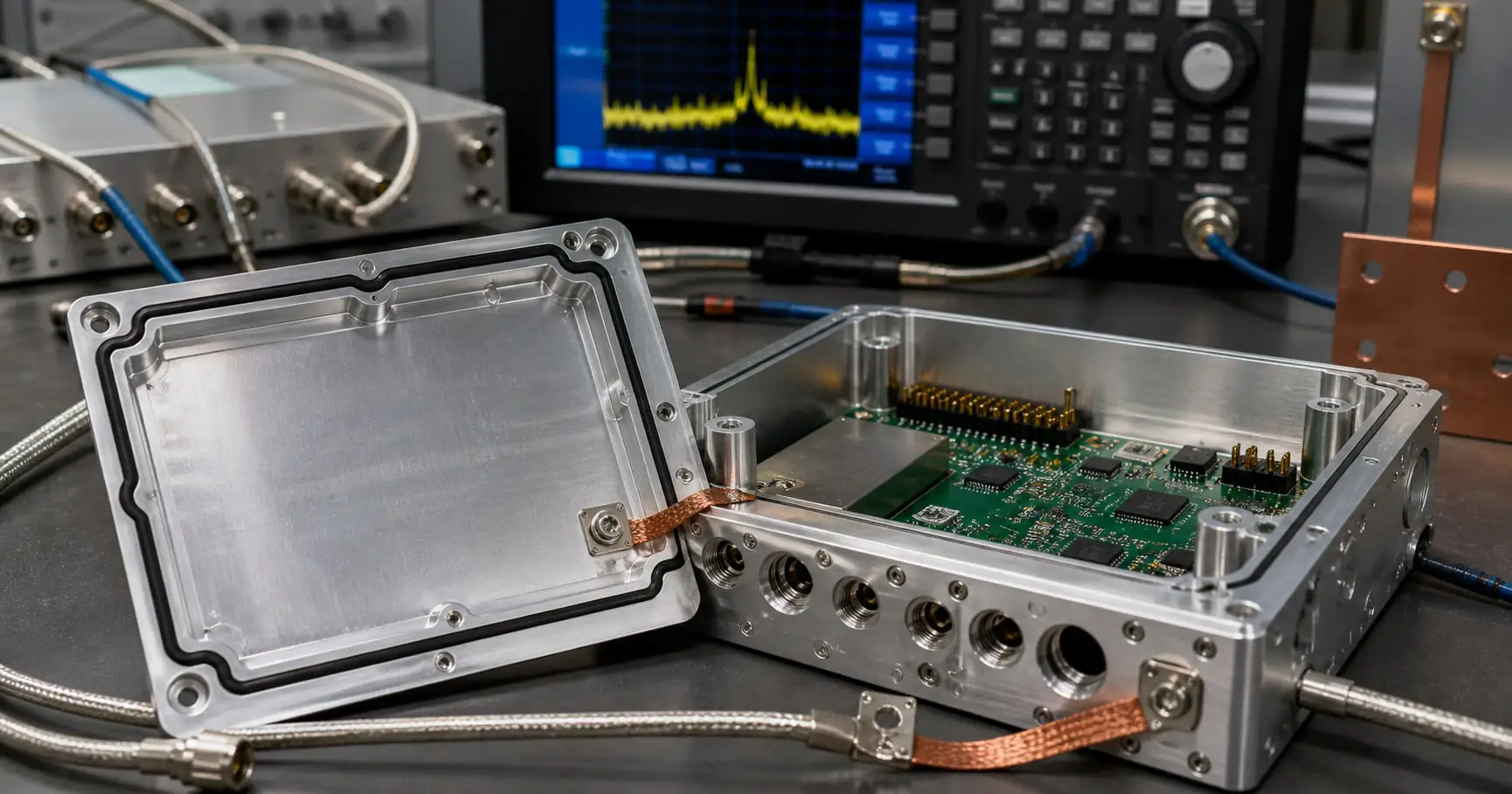
In my daily work at PUMAYCASE, I see one common pattern. A team sends a PCB drawing and asks for a fast enclosure quote. The PCB usually looks clear. But the real use condition is still missing. I need to know whether the device will sit inside a cabinet, hang on a wall, work outdoors, or travel in a vehicle. These details change the enclosure structure.
For SDR receiver and antenna interface hardware, the first risk is not always the aluminum profile. The first risk is the mismatch between the product idea and the field condition. A simple indoor case may not need a high IP rating. But an outdoor or mobile device may need gasket sealing, waterproof connectors, stable screw compression, and a stronger surface finish. A compact device may also need heat transfer through the enclosure wall.
First design filter
| Question | Why it matters | What I ask Jeff to prepare |
|---|---|---|
| Where will the device work? | It affects IP rating and surface finish. | Indoor, outdoor, cabinet, vehicle, or portable use. |
| How much heat is inside? | It affects wall thickness and contact area. | Main heat source, power level, and expected temperature. |
| Which cables enter the case? | It affects CNC holes and sealing. | Connector models, cable direction, and gland size. |
| How fast is the prototype needed? | It affects the best manufacturing route. | Target sample date and expected batch size. |
PUMAYCASE can start from custom aluminum enclosure solutions and then adjust the profile, end plates, holes, color, marking, and assembly method. This saves time when the project needs speed but still needs technical control.
Which enclosure details affect production risk?
Small enclosure details can create large production problems. If machining, sealing, and finish are reviewed late, the supplier may quote fast but deliver slowly.
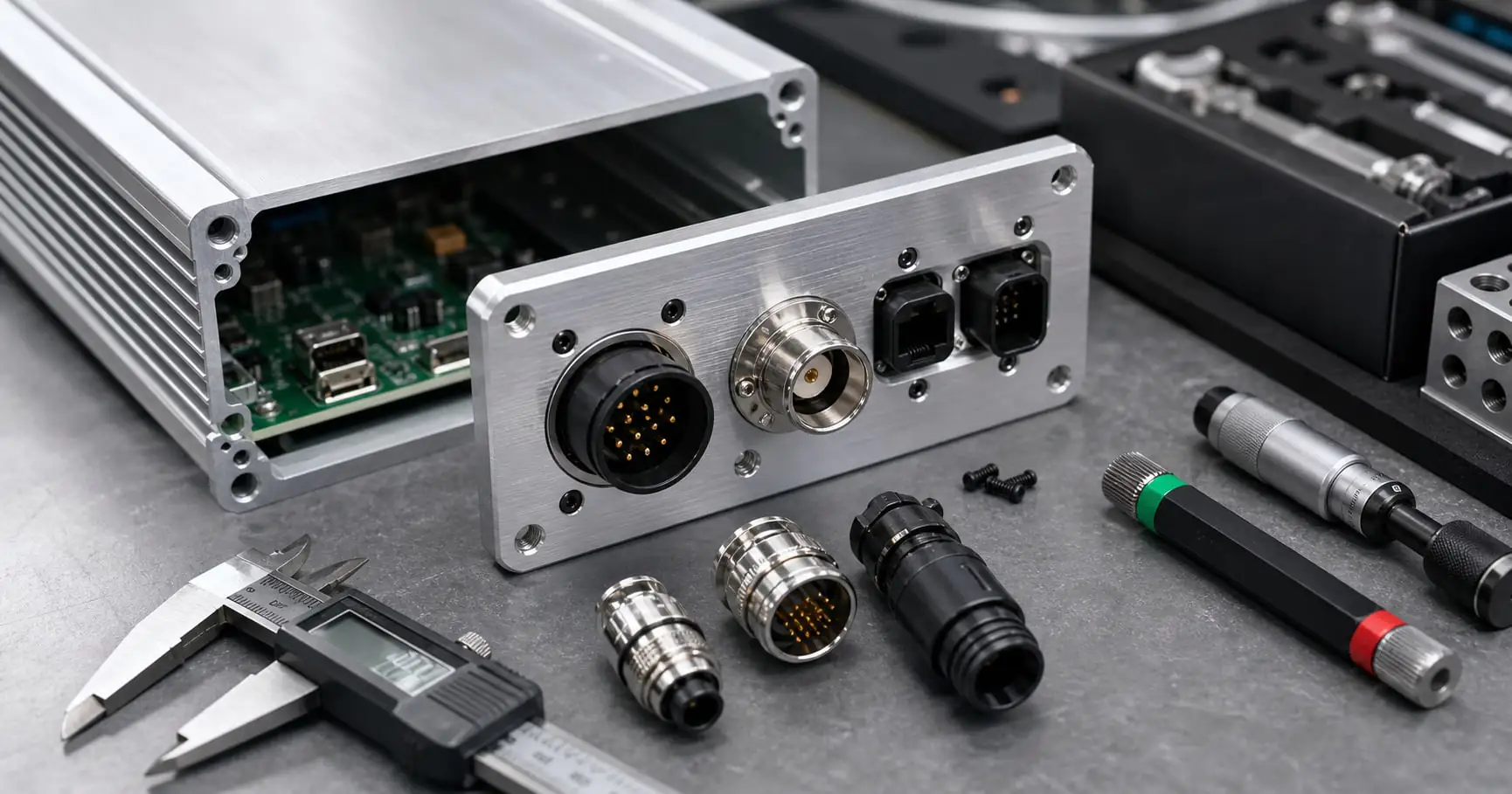
The highest-risk details are connector cutouts, gasket compression, screw bosses, tolerance stack-up, anodizing requirements, grounding points, and packing protection.

A good enclosure drawing should help the factory make the part and help the engineer check the part. I prefer clear 2D drawings for holes and tolerances, plus 3D files for assembly review. If the drawing only shows appearance, the supplier may miss the real control points.
For SDR aluminum enclosure, I pay special attention to shielding, grounding, cable entry, thermal paths, and panel labeling. These points look small on a drawing. But they affect assembly yield and customer confidence. For example, a connector hole may pass size inspection but still fail assembly because the nut clearance is too small. A gasket groove may look correct but fail after anodizing because the surface or groove tolerance changed. A label may look fine in PDF but become too small after laser marking on a black anodized panel.
Production risk map
| Detail | Common failure | Better practice |
|---|---|---|
| CNC cutouts | Connector cannot fit or rotate. | Check connector datasheet and nut clearance. |
| End plate sealing | Water enters from uneven pressure. | Review gasket groove, screw spacing, and torque path. |
| Anodizing | Color mismatch or poor scratch resistance. | Define finish, color, gloss, and cosmetic surface. |
| Grounding | EMC performance is unstable. | Keep a conductive contact area where needed. |
| Packing | Surface damage during shipment. | Use film, foam, carton, and pallet rules. |
For waterproof work, engineers can use the IEC overview of IP code principles as a reference. For aluminum material discussion, I often compare alloy and temper choices with standard material data such as MatWeb aluminum property references.
How should buyers prepare the RFQ package?
An unclear RFQ creates back-and-forth messages. This wastes engineering time and may push the sample date. A complete RFQ makes customization faster.
A strong enclosure RFQ should include 2D drawings, 3D files, PCB size, connector data, finish requirement, IP target, quantity, and required lead time.
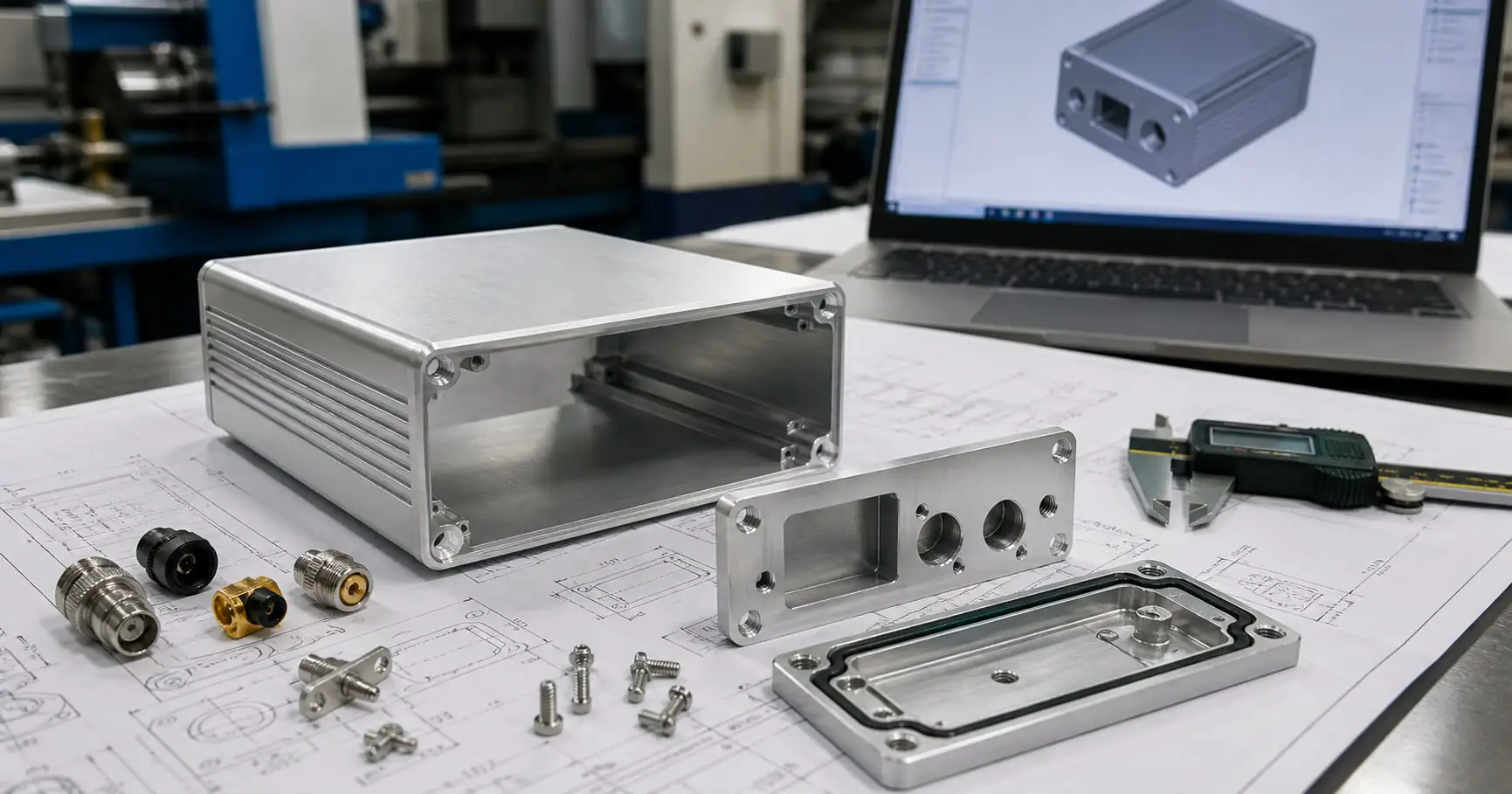
When Jeff sends me a project, I do not only check the outside size. I check whether the enclosure can be made, assembled, finished, packed, and repeated. This is why clear RFQ data matters. If the first message includes all key files, we can usually give engineering feedback within 24 hours. If the files are incomplete, the quotation may look fast but the real project will slow down later.
For prototype and small-batch work, I suggest starting with standard extrusion when possible. Then we machine the end plates, side walls, or internal details by CNC. This keeps cost under control and still allows connector holes, countersinks, threaded holes, display windows, logos, and surface finish. If the project needs special waterproof or EMC performance, we should review those needs before the first sample.
RFQ file checklist
| File or data | Minimum requirement | Why I need it |
|---|---|---|
| 3D file | STEP format preferred. | I check fit, interference, and machining access. |
| 2D drawing | Hole size, tolerance, and surface notes. | The factory uses it for inspection. |
| PCB layout | Board size and key component height. | It controls internal clearance and mounting. |
| Connector datasheet | Thread, nut, washer, and cable direction. | It prevents panel assembly problems. |
| Finish note | Anodizing color, brushing, printing, marking. | It prevents appearance and durability disputes. |
| Quantity and date | Prototype and batch forecast. | It helps me choose the right process route. |
If the project needs machining support, our CNC aluminum enclosure machining service can combine drilling, milling, tapping, countersinking, anodizing, silk screen printing, laser marking, and assembly review in one supplier workflow.
Engineering Review Checklist
Many indexing problems come from thin content and weak usefulness. A practical checklist helps engineers act faster. I add this section for real buyer decisions.
Use this checklist before sending the enclosure drawing to any supplier. It helps reduce tolerance mismatch, unclear quotation, and late prototype rework.
| Review item | Confirmed? | Notes for supplier |
|---|---|---|
| Installation environment is clear | Indoor, outdoor, cabinet, mobile, or handheld. | |
| IP target is defined | IP54, IP65, IP67, or IP68 if needed. | |
| Heat source is identified | Power component, PCB hotspot, or RF module. | |
| CNC features are dimensioned | Holes, slots, countersinks, threads, windows. | |
| Surface finish is specified | Natural, black, color anodizing, brushed, printed. | |
| Assembly sequence is checked | PCB mounting, connector nuts, gasket, screws. | |
| Packaging needs are clear | Film, foam, carton, pallet, export label. |
Technical Notes and References
Technical claims need support. But buyers also need supplier experience. I combine public references with practical enclosure manufacturing notes here.
These notes support decisions on IP protection, CNC manufacturing, aluminum material, EMC, and shipping preparation for industrial electronics enclosures.
- IEC explains the basic meaning of ingress protection codes in its IP ratings reference.
- NIST provides useful background on smart manufacturing systems, which helps explain why compact industrial electronics need reliable enclosures.
- The U.S. Bureau of Industry and Security publishes official export control guidance, which buyers can review when products include controlled electronics or instrumentation features.
- For practical enclosure procurement, I suggest linking drawings, connector datasheets, finish requirements, and target lead time in one RFQ email.
PUMAYCASE supports waterproof aluminum enclosures, extruded aluminum enclosures, CNC machining, anodizing, laser marking, silk screen printing, and small-batch assembly support. I can review drawings and give practical feedback before the enclosure design becomes expensive to change.
Conclusion
A stronger SDR aluminum enclosure article should help engineers make decisions, not only read keywords. This upgrade gives buyers clearer checks before RFQ and production.
SDR Receiver Enclosure Setup: How Can Beginners Avoid Noise, Heat, and Assembly Problems?
Engineers often focus on PCB layout first. But enclosure risk can delay testing, shipping, and launch. I use a simple review flow to reduce that risk.
For SDR aluminum enclosure, buyers should check structure, machining, surface finish, protection level, and supplier communication before ordering. This is especially important for compact communication experiments moving into field-ready devices.
Table of contents
- What problem should engineers solve first?
- Which enclosure details affect production risk?
- How should buyers prepare the RFQ package?
- Engineering Review Checklist
- Technical Notes and References
What problem should engineers solve first?
A weak enclosure decision creates late changes. Late changes affect PCB position, connector fit, gasket pressure, and delivery. I start with the real use environment.
Engineers should define installation position, heat source, cable direction, sealing target, and service method before choosing or customizing an aluminum enclosure.
In my daily work at PUMAYCASE, I see one common pattern. A team sends a PCB drawing and asks for a fast enclosure quote. The PCB usually looks clear. But the real use condition is still missing. I need to know whether the device will sit inside a cabinet, hang on a wall, work outdoors, or travel in a vehicle. These details change the enclosure structure.
For SDR receiver and antenna interface hardware, the first risk is not always the aluminum profile. The first risk is the mismatch between the product idea and the field condition. A simple indoor case may not need a high IP rating. But an outdoor or mobile device may need gasket sealing, waterproof connectors, stable screw compression, and a stronger surface finish. A compact device may also need heat transfer through the enclosure wall.
First design filter
| Question | Why it matters | What I ask Jeff to prepare |
|---|---|---|
| Where will the device work? | It affects IP rating and surface finish. | Indoor, outdoor, cabinet, vehicle, or portable use. |
| How much heat is inside? | It affects wall thickness and contact area. | Main heat source, power level, and expected temperature. |
| Which cables enter the case? | It affects CNC holes and sealing. | Connector models, cable direction, and gland size. |
| How fast is the prototype needed? | It affects the best manufacturing route. | Target sample date and expected batch size. |
PUMAYCASE can start from custom aluminum enclosure solutions and then adjust the profile, end plates, holes, color, marking, and assembly method. This saves time when the project needs speed but still needs technical control.
Which enclosure details affect production risk?
Small enclosure details can create large production problems. If machining, sealing, and finish are reviewed late, the supplier may quote fast but deliver slowly.
The highest-risk details are connector cutouts, gasket compression, screw bosses, tolerance stack-up, anodizing requirements, grounding points, and packing protection.
A good enclosure drawing should help the factory make the part and help the engineer check the part. I prefer clear 2D drawings for holes and tolerances, plus 3D files for assembly review. If the drawing only shows appearance, the supplier may miss the real control points.
For SDR aluminum enclosure, I pay special attention to shielding, grounding, cable entry, thermal paths, and panel labeling. These points look small on a drawing. But they affect assembly yield and customer confidence. For example, a connector hole may pass size inspection but still fail assembly because the nut clearance is too small. A gasket groove may look correct but fail after anodizing because the surface or groove tolerance changed. A label may look fine in PDF but become too small after laser marking on a black anodized panel.
Production risk map
| Detail | Common failure | Better practice |
|---|---|---|
| CNC cutouts | Connector cannot fit or rotate. | Check connector datasheet and nut clearance. |
| End plate sealing | Water enters from uneven pressure. | Review gasket groove, screw spacing, and torque path. |
| Anodizing | Color mismatch or poor scratch resistance. | Define finish, color, gloss, and cosmetic surface. |
| Grounding | EMC performance is unstable. | Keep a conductive contact area where needed. |
| Packing | Surface damage during shipment. | Use film, foam, carton, and pallet rules. |
For waterproof work, engineers can use the IEC overview of IP code principles as a reference. For aluminum material discussion, I often compare alloy and temper choices with standard material data such as MatWeb aluminum property references.
How should buyers prepare the RFQ package?
An unclear RFQ creates back-and-forth messages. This wastes engineering time and may push the sample date. A complete RFQ makes customization faster.
A strong enclosure RFQ should include 2D drawings, 3D files, PCB size, connector data, finish requirement, IP target, quantity, and required lead time.
When Jeff sends me a project, I do not only check the outside size. I check whether the enclosure can be made, assembled, finished, packed, and repeated. This is why clear RFQ data matters. If the first message includes all key files, we can usually give engineering feedback within 24 hours. If the files are incomplete, the quotation may look fast but the real project will slow down later.
For prototype and small-batch work, I suggest starting with standard extrusion when possible. Then we machine the end plates, side walls, or internal details by CNC. This keeps cost under control and still allows connector holes, countersinks, threaded holes, display windows, logos, and surface finish. If the project needs special waterproof or EMC performance, we should review those needs before the first sample.
RFQ file checklist
| File or data | Minimum requirement | Why I need it |
|---|---|---|
| 3D file | STEP format preferred. | I check fit, interference, and machining access. |
| 2D drawing | Hole size, tolerance, and surface notes. | The factory uses it for inspection. |
| PCB layout | Board size and key component height. | It controls internal clearance and mounting. |
| Connector datasheet | Thread, nut, washer, and cable direction. | It prevents panel assembly problems. |
| Finish note | Anodizing color, brushing, printing, marking. | It prevents appearance and durability disputes. |
| Quantity and date | Prototype and batch forecast. | It helps me choose the right process route. |
If the project needs machining support, our CNC aluminum enclosure machining service can combine drilling, milling, tapping, countersinking, anodizing, silk screen printing, laser marking, and assembly review in one supplier workflow.
Engineering Review Checklist
Many indexing problems come from thin content and weak usefulness. A practical checklist helps engineers act faster. I add this section for real buyer decisions.
Use this checklist before sending the enclosure drawing to any supplier. It helps reduce tolerance mismatch, unclear quotation, and late prototype rework.
| Review item | Confirmed? | Notes for supplier |
|---|---|---|
| Installation environment is clear | Indoor, outdoor, cabinet, mobile, or handheld. | |
| IP target is defined | IP54, IP65, IP67, or IP68 if needed. | |
| Heat source is identified | Power component, PCB hotspot, or RF module. | |
| CNC features are dimensioned | Holes, slots, countersinks, threads, windows. | |
| Surface finish is specified | Natural, black, color anodizing, brushed, printed. | |
| Assembly sequence is checked | PCB mounting, connector nuts, gasket, screws. | |
| Packaging needs are clear | Film, foam, carton, pallet, export label. |
Technical Notes and References
Technical claims need support. But buyers also need supplier experience. I combine public references with practical enclosure manufacturing notes here.
These notes support decisions on IP protection, CNC manufacturing, aluminum material, EMC, and shipping preparation for industrial electronics enclosures.
- IEC explains the basic meaning of ingress protection codes in its IP ratings reference.
- NIST provides useful background on smart manufacturing systems, which helps explain why compact industrial electronics need reliable enclosures.
- The U.S. Bureau of Industry and Security publishes official export control guidance, which buyers can review when products include controlled electronics or instrumentation features.
- For practical enclosure procurement, I suggest linking drawings, connector datasheets, finish requirements, and target lead time in one RFQ email.
PUMAYCASE supports waterproof aluminum enclosures, extruded aluminum enclosures, CNC machining, anodizing, laser marking, silk screen printing, and small-batch assembly support. I can review drawings and give practical feedback before the enclosure design becomes expensive to change.
Conclusion
A stronger SDR aluminum enclosure article should help engineers make decisions, not only read keywords. This upgrade gives buyers clearer checks before RFQ and production.
SDR Receiver Enclosure Setup: How Can Beginners Avoid Noise, Heat, and Assembly Problems?
Engineers often focus on PCB layout first. But enclosure risk can delay testing, shipping, and launch. I use a simple review flow to reduce that risk.
For SDR aluminum enclosure, buyers should check structure, machining, surface finish, protection level, and supplier communication before ordering. This is especially important for compact communication experiments moving into field-ready devices.
%SDR aluminum enclosure for SDR receiver and antenna interface hardware
Table of contents
- What problem should engineers solve first?
- Which enclosure details affect production risk?
- How should buyers prepare the RFQ package?
- Engineering Review Checklist
- Technical Notes and References
What problem should engineers solve first?
A weak enclosure decision creates late changes. Late changes affect PCB position, connector fit, gasket pressure, and delivery. I start with the real use environment.
Engineers should define installation position, heat source, cable direction, sealing target, and service method before choosing or customizing an aluminum enclosure.
%SDR aluminum enclosure application scene for SDR receiver and antenna interface hardware
In my daily work at PUMAYCASE, I see one common pattern. A team sends a PCB drawing and asks for a fast enclosure quote. The PCB usually looks clear. But the real use condition is still missing. I need to know whether the device will sit inside a cabinet, hang on a wall, work outdoors, or travel in a vehicle. These details change the enclosure structure.
For SDR receiver and antenna interface hardware, the first risk is not always the aluminum profile. The first risk is the mismatch between the product idea and the field condition. A simple indoor case may not need a high IP rating. But an outdoor or mobile device may need gasket sealing, waterproof connectors, stable screw compression, and a stronger surface finish. A compact device may also need heat transfer through the enclosure wall.
First design filter
| Question | Why it matters | What I ask Jeff to prepare |
|---|---|---|
| Where will the device work? | It affects IP rating and surface finish. | Indoor, outdoor, cabinet, vehicle, or portable use. |
| How much heat is inside? | It affects wall thickness and contact area. | Main heat source, power level, and expected temperature. |
| Which cables enter the case? | It affects CNC holes and sealing. | Connector models, cable direction, and gland size. |
| How fast is the prototype needed? | It affects the best manufacturing route. | Target sample date and expected batch size. |
PUMAYCASE can start from custom aluminum enclosure solutions and then adjust the profile, end plates, holes, color, marking, and assembly method. This saves time when the project needs speed but still needs technical control.
Which enclosure details affect production risk?
Small enclosure details can create large production problems. If machining, sealing, and finish are reviewed late, the supplier may quote fast but deliver slowly.
The highest-risk details are connector cutouts, gasket compression, screw bosses, tolerance stack-up, anodizing requirements, grounding points, and packing protection.
%CNC machined SDR aluminum enclosure details for production review
A good enclosure drawing should help the factory make the part and help the engineer check the part. I prefer clear 2D drawings for holes and tolerances, plus 3D files for assembly review. If the drawing only shows appearance, the supplier may miss the real control points.
For SDR aluminum enclosure, I pay special attention to shielding, grounding, cable entry, thermal paths, and panel labeling. These points look small on a drawing. But they affect assembly yield and customer confidence. For example, a connector hole may pass size inspection but still fail assembly because the nut clearance is too small. A gasket groove may look correct but fail after anodizing because the surface or groove tolerance changed. A label may look fine in PDF but become too small after laser marking on a black anodized panel.
Production risk map
| Detail | Common failure | Better practice |
|---|---|---|
| CNC cutouts | Connector cannot fit or rotate. | Check connector datasheet and nut clearance. |
| End plate sealing | Water enters from uneven pressure. | Review gasket groove, screw spacing, and torque path. |
| Anodizing | Color mismatch or poor scratch resistance. | Define finish, color, gloss, and cosmetic surface. |
| Grounding | EMC performance is unstable. | Keep a conductive contact area where needed. |
| Packing | Surface damage during shipment. | Use film, foam, carton, and pallet rules. |
For waterproof work, engineers can use the IEC overview of IP code principles as a reference. For aluminum material discussion, I often compare alloy and temper choices with standard material data such as MatWeb aluminum property references.
How should buyers prepare the RFQ package?
An unclear RFQ creates back-and-forth messages. This wastes engineering time and may push the sample date. A complete RFQ makes customization faster.
A strong enclosure RFQ should include 2D drawings, 3D files, PCB size, connector data, finish requirement, IP target, quantity, and required lead time.
%RFQ package for SDR aluminum enclosure with drawings and enclosure samples
When Jeff sends me a project, I do not only check the outside size. I check whether the enclosure can be made, assembled, finished, packed, and repeated. This is why clear RFQ data matters. If the first message includes all key files, we can usually give engineering feedback within 24 hours. If the files are incomplete, the quotation may look fast but the real project will slow down later.
For prototype and small-batch work, I suggest starting with standard extrusion when possible. Then we machine the end plates, side walls, or internal details by CNC. This keeps cost under control and still allows connector holes, countersinks, threaded holes, display windows, logos, and surface finish. If the project needs special waterproof or EMC performance, we should review those needs before the first sample.
RFQ file checklist
| File or data | Minimum requirement | Why I need it |
|---|---|---|
| 3D file | STEP format preferred. | I check fit, interference, and machining access. |
| 2D drawing | Hole size, tolerance, and surface notes. | The factory uses it for inspection. |
| PCB layout | Board size and key component height. | It controls internal clearance and mounting. |
| Connector datasheet | Thread, nut, washer, and cable direction. | It prevents panel assembly problems. |
| Finish note | Anodizing color, brushing, printing, marking. | It prevents appearance and durability disputes. |
| Quantity and date | Prototype and batch forecast. | It helps me choose the right process route. |
If the project needs machining support, our CNC aluminum enclosure machining service can combine drilling, milling, tapping, countersinking, anodizing, silk screen printing, laser marking, and assembly review in one supplier workflow.
Engineering Review Checklist
Many indexing problems come from thin content and weak usefulness. A practical checklist helps engineers act faster. I add this section for real buyer decisions.
Use this checklist before sending the enclosure drawing to any supplier. It helps reduce tolerance mismatch, unclear quotation, and late prototype rework.
%engineering checklist for SDR aluminum enclosure customization
| Review item | Confirmed? | Notes for supplier |
|---|---|---|
| Installation environment is clear | Indoor, outdoor, cabinet, mobile, or handheld. | |
| IP target is defined | IP54, IP65, IP67, or IP68 if needed. | |
| Heat source is identified | Power component, PCB hotspot, or RF module. | |
| CNC features are dimensioned | Holes, slots, countersinks, threads, windows. | |
| Surface finish is specified | Natural, black, color anodizing, brushed, printed. | |
| Assembly sequence is checked | PCB mounting, connector nuts, gasket, screws. | |
| Packaging needs are clear | Film, foam, carton, pallet, export label. |
Technical Notes and References
Technical claims need support. But buyers also need supplier experience. I combine public references with practical enclosure manufacturing notes here.
These notes support decisions on IP protection, CNC manufacturing, aluminum material, EMC, and shipping preparation for industrial electronics enclosures.
%technical notes for SDR aluminum enclosure and custom aluminum enclosure design
- IEC explains the basic meaning of ingress protection codes in its IP ratings reference.
- NIST provides useful background on smart manufacturing systems, which helps explain why compact industrial electronics need reliable enclosures.
- The U.S. Bureau of Industry and Security publishes official export control guidance, which buyers can review when products include controlled electronics or instrumentation features.
- For practical enclosure procurement, I suggest linking drawings, connector datasheets, finish requirements, and target lead time in one RFQ email.
PUMAYCASE supports waterproof aluminum enclosures, extruded aluminum enclosures, CNC machining, anodizing, laser marking, silk screen printing, and small-batch assembly support. I can review drawings and give practical feedback before the enclosure design becomes expensive to change.
Conclusion
A stronger SDR aluminum enclosure article should help engineers make decisions, not only read keywords. This upgrade gives buyers clearer checks before RFQ and production.
Introduction
Software Defined Radio (SDR) has transformed the world of wireless communication by replacing traditional hardware components with software-based solutions. With an SDR, you can tune into a wide range of frequencies, decode signals, and explore the electromagnetic spectrum using just your computer and a few hardware components. Whether you're a hobbyist, a researcher, or a professional engineer, SDR offers flexibility and performance unmatched by conventional radio systems.
This guide will walk you through the basics of SDR receivers, common equipment pairings, and how to create a robust setup. Additionally, we will highlight how Pumaycase aluminum enclosures can provide critical protection and enhanced performance for your SDR components.
What is Software Defined Radio (SDR)?
At its core, SDR is a radio communication system where components that have traditionally been implemented in hardware (e.g., mixers, filters, amplifiers, modulators/demodulators) are instead implemented by software on a personal computer or embedded system. This flexibility allows users to adapt their SDR system to a variety of applications by simply updating the software or firmware.
Key Advantages of SDR:
Versatility: Support for multiple radio protocols.
Cost-efficiency: A single receiver can replace multiple traditional devices.
Portability: Compact size and compatibility with laptops and mobile devices.
- -
Popular SDR Receiver Brands
There are several notable SDR receivers on the market, each with its strengths. Here are two of the most commonly used among beginners and professionals:
| Brand | Model Series | Frequency Range | Notable Features |
|---|---|---|---|
| NESDR | Smart v5 | 25 MHz – 1.75 GHz | TCXO, SMA connector, metal shielding |
| RTL-SDR | Blog V3 | 500 kHz – 1.7 GHz | Direct sampling, HF support |
These devices connect via USB and are typically compatible with popular SDR software like SDR#, HDSDR, CubicSDR, and GQRX.
Basic SDR System Configuration
To set up an effective SDR system, you will typically need the following components:
| Component | Purpose |
| SDR Receiver (NESDR/RTL-SDR) | Core unit for receiving signals |
| Low-Noise Amplifier (LNA) | Boosts weak signals without introducing noise |
| Bandpass Filter / SAW Filter | Eliminates out-of-band interference |
| Upconverter (e.g., Ham It Up) | Enables reception of HF/shortwave frequencies |
| Antenna | Captures radio signals |
| Aluminum Enclosure (e.g., Pumaycase) | Protects devices and reduces RF interference |
Each of these elements plays a role in enhancing the quality and range of your signal reception. Depending on your use case—be it weather satellite decoding, ham radio, aircraft tracking (ADS-B), or RF spectrum analysis—you can customize your setup accordingly.
Use Cases of SDR Receivers
SDR is used in various professional and amateur fields. Below are some real-world applications:
| Application | Description |
| ADS-B Aircraft Tracking | Track real-time flight positions using 1090 MHz signals |
| Weather Satellite Imaging | Decode APT signals from NOAA satellites |
| Amateur Radio | Listen to and communicate on ham radio bands |
| Spectrum Monitoring | Analyze local RF spectrum for interference or surveillance |
| Radio Astronomy | Detect cosmic sources and natural signals from space |
Pumaycase: Enhancing Your SDR Setup
Pumaycase offers high-quality aluminum enclosures specifically designed to fit popular SDR equipment such as NESDR, RTL-SDR, SAWbird filters, and Ham It Up converters. Here's how our enclosures improve your setup:
Precision Fit: Custom CNC-milled cases ensure snug fit and secure mounting.
Thermal Performance: Aluminum naturally dissipates heat, protecting your components from overheating.
EMI Shielding: Reduce unwanted RF interference and improve signal clarity.
Modular Design: Stackable and customizable enclosures for multi-component systems.
Aesthetic and Durable: Anodized finishes available in multiple colors for a professional look.
Whether you're building a portable SDR monitoring station or a stationary lab-grade setup, Pumaycase provides the protection and structure your equipment needs.
Conclusion
SDR technology opens up a world of possibilities in radio communication, signal processing, and spectrum analysis. With the right combination of components—SDR receivers, amplifiers, filters, and a robust enclosure like those from Pumaycase—you can build a versatile and high-performance system tailored to your specific needs. Ready to build or upgrade your SDR station? Make sure your hardware is protected and optimized with a Pumaycase aluminum enclosure.
Explore our full range of SDR-compatible cases at pumaycase.com.