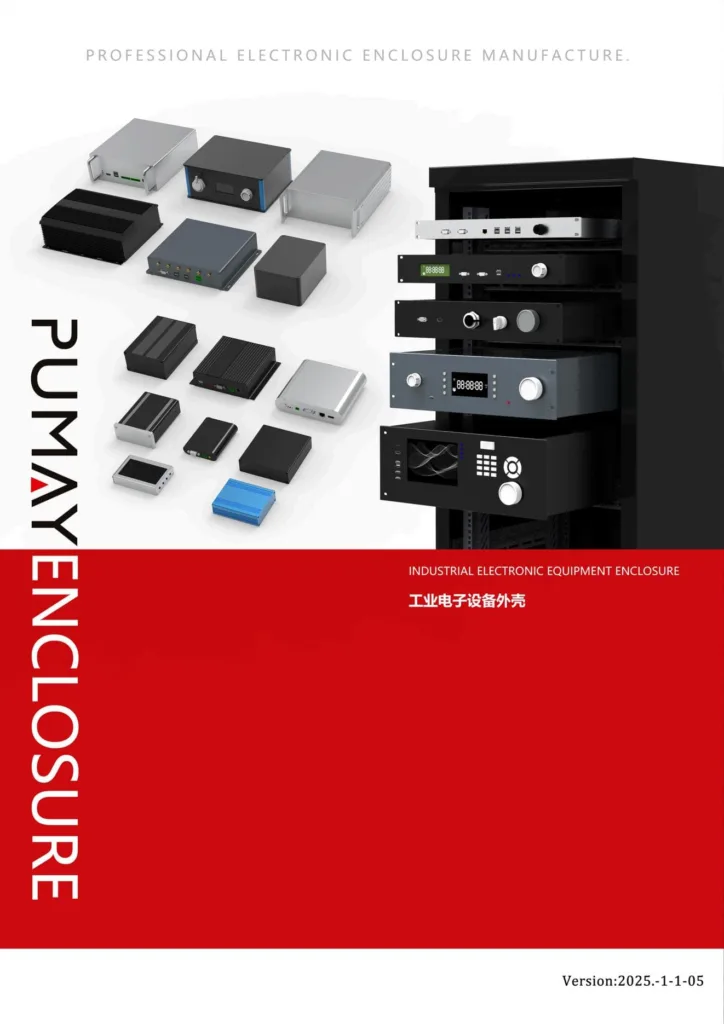
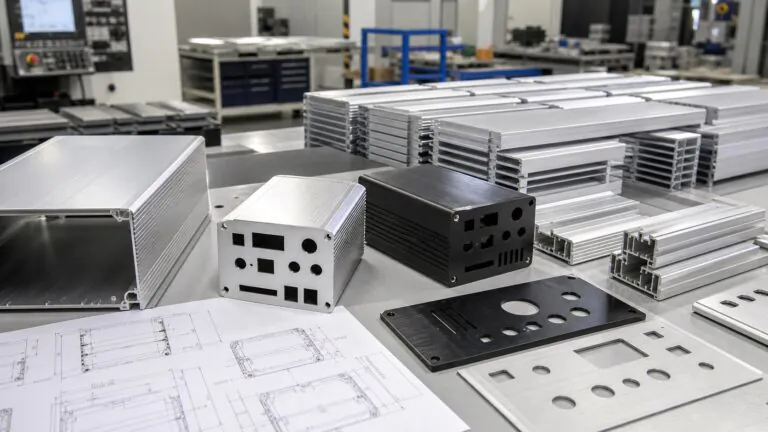
For test and measurement equipment, the enclosure is not only a metal box around the electronics. It becomes the user interface, the assembly platform, the thermal path, the grounding path, and the visible proof of product quality.
This is why a custom aluminum instrument enclosure should be planned before the first sample is machined. If the front panel, PCB mounting, connector layout, ventilation, surface finish, and inspection requirements are not defined early, the project may move through several avoidable sample revisions before it is ready for repeat purchasing.
This guide explains how overseas OEM buyers, engineering teams, universities, research institutes, and procurement departments can specify a practical aluminum instrument enclosure for desktop test equipment, lab devices, communication modules, control units, power electronics, and electronic measurement products. [1]
What Is an Aluminum Instrument Enclosure?
An aluminum instrument enclosure is a housing designed for electronic instruments that require stable structure, professional appearance, accurate panel machining, and repeated operator access. Typical applications include:
- Test and measurement devices
- Signal converters
- Laboratory control modules
- Communication test equipment
- Power supply control boxes
- Medical or security monitoring modules
- R&D prototypes
- Desktop industrial controllers
- University research equipment
Compared with a basic electronic case, an instrument enclosure usually has higher expectations for front-panel appearance, connector alignment, display visibility, button spacing, internal PCB support, and repeatable production quality.
Aluminum is widely used because it provides a strong but lightweight structure, good machinability, practical heat dissipation, and a professional surface finish. For many B2B projects, a manufacturer can start from an existing aluminum enclosure profile and then customize length, front panels, rear panels, holes, slots, colors, logos, and accessories.
Start With the User Interface, Not Only the Outer Size
Many enclosure RFQs begin with an outer dimension such as width, height, and depth. This is necessary, but it is not enough for instrument products.
For a desktop instrument, the front panel is often the most important part of the enclosure. It may include a display window, LED indicators, rotary knobs, push buttons, USB ports, BNC connectors, power switches, labels, and a brand logo. If the layout is difficult to read or operate, the product may look unfinished even if the enclosure is mechanically correct.
Before asking for a quotation, the engineering team should confirm:
- Which side is the main user-facing panel
- Whether the product will sit flat, stand at an angle, or be stacked
- Display window size and viewing direction
- Connector spacing for cables and fingers
- Label positions and printing method
- Logo position and marking method
- Whether the front panel edge will remain visible after assembly
For procurement teams, this is also a supplier comparison issue. A low quotation that ignores deburring, finish protection, and panel cosmetics may create higher rejection cost later.
Plan PCB Mounting and Internal Clearance Early
Instrument enclosure problems often appear during assembly. The PCB fits the drawing, but a connector nut touches the wall. A tall capacitor interferes with the top cover. A cable cannot bend inside the enclosure. A standoff is too close to a cutout. A screw head blocks a display board.
To prevent these issues, the RFQ should include more than the enclosure size. It should include:
- PCB length, width, and thickness
- PCB mounting hole locations
- Component height map or 3D model
- Connector datasheets
- Cable bend direction
- Battery, fan, heatsink, or transformer position if used
- Required screw size and standoff height
- Areas that must remain clear for assembly tools
STEP files are valuable because they allow the enclosure supplier to check interference in 3D. PDF drawings are useful for controlled dimensions. DXF or DWG files are useful for CNC panel cutting. Connector datasheets help confirm that the real connector, washer, nut, and cable can fit the enclosure, not only the nominal hole size. PCB design and documentation practices should also be aligned with the buyer's internal engineering standards. [2]
Treat Heat Dissipation as Part of the Enclosure Design
Many test instruments include power regulators, processors, communication modules, amplifiers, signal conditioning boards, or internal power supplies. These components can generate heat even when the product looks compact from the outside.
Aluminum can support heat dissipation, but only if the structure is planned correctly. Buyers should consider:
- Whether heat sources contact the enclosure body
- Whether internal heatsinks need space and airflow
- Whether ventilation slots are acceptable for the application
- Whether the enclosure will be stacked with other equipment
- Whether the product will operate continuously
- Whether the surface finish affects heat transfer or appearance requirements
Vent slots can help airflow, but they also affect dust protection, appearance, machining cost, and EMC considerations. For some instruments, a thicker aluminum profile or a heat-spreading internal plate may be better than adding many slots. The correct choice depends on the power level, component layout, environment, and user expectations.
Define Grounding, Shielding, and Contact Areas
Instrument products often need stable grounding and predictable electrical contact. The enclosure may be part of the grounding path, shielding concept, or ESD control strategy.
Surface finishing can influence this. Anodizing and powder coating are useful finishes, but they are not the same as bare conductive aluminum at contact points. If a grounding pad, screw boss, rear panel, or internal bracket must remain electrically conductive, the drawing should identify that area clearly.
Useful drawing notes may include:
- Masked grounding area
- Bare metal contact point
- Conductive gasket requirement
- Ground screw position
- Panel-to-body contact requirement
- Finish-free area around a bonding point
The enclosure manufacturer should not need to guess which cosmetic surfaces must be coated and which functional surfaces must remain conductive. Clear notes reduce sample revisions and help the buyer compare quotations more accurately.
Match the Surface Finish to Product Positioning
For desktop instruments, appearance matters. Buyers often choose black anodizing, clear anodizing, brushed aluminum, powder coating, silk screen printing, laser marking, or a combination of these processes.
The finish should match the product's market position:
| Product type | Practical finish direction | Reason |
|---|---|---|
| Lab test module | Clear or black anodizing | Technical appearance and good dimensional control |
| Industrial control instrument | Powder coating or hard-wearing anodizing | Durable surface and flexible color options |
| Premium measurement device | Brushed anodized panel with laser marking | Professional visual quality |
| Research prototype | Standard anodized profile with CNC panels | Lower tooling risk and faster sample review |
| Branded OEM product | Custom color, printing, and logo marking | Better product identity across repeat orders |
For a professional instrument, the front panel should be treated as a cosmetic and functional part. Mark visible surfaces on the drawing, define acceptable finish direction if brushing is required, and provide logo files before sampling.
Use Existing Profiles When They Fit the Product
A fully custom aluminum enclosure can be useful, but it is not always necessary. Many instrument projects can start from an existing aluminum extrusion profile, desktop chassis, or standard instrument housing. The manufacturer then customizes the length, panels, cutouts, finish, marking, and accessories.
This approach can help buyers:
- Reduce tooling cost
- Shorten sample lead time
- Lower design risk
- Compare several size options quickly
- Move from prototype to batch production more easily
The key is to match the profile to the real internal structure. If the selected enclosure is too small, the buyer may save cost at first but lose time in assembly revisions. If it is too large, shipping cost, material cost, and product appearance may suffer. A practical supplier should help review PCB size, component height, connector layout, and production quantity before recommending a profile.
Prepare a Complete RFQ Package
For overseas B2B purchasing, the fastest quotation usually comes from a clear engineering package. For custom aluminum instrument enclosures, include:
| RFQ item | Why it matters |
|---|---|
| Outer dimensions or target enclosure series | Defines the starting structure |
| PCB size and mounting holes | Confirms internal support and clearance |
| Front and rear panel drawings | Controls CNC cutouts and visible layout |
| STEP file | Helps check interference and assembly space |
| DXF or DWG cutout files | Improves CNC programming accuracy |
| Connector datasheets | Confirms real fit, not only hole diameter |
| Finish requirement | Affects appearance, tolerance, cost, and grounding |
| Logo and label files | Supports printing or laser marking quotation |
| Sample quantity and batch quantity | Helps quote setup cost and production cost correctly |
| Application environment | Helps review ventilation, dust, moisture, and durability needs |
If the project is still early, buyers can also send photos, sketches, PCB files, or a reference enclosure. A complete drawing is best, but early information is often enough for an initial structure review. When the instrument must face dust, moisture, outdoor cabinets, or North American enclosure-rating expectations, protection requirements should be reviewed before the enclosure is selected. [3][4]
Sample Approval Should Check More Than Dimensions
When the first enclosure sample arrives, the buyer should not check only the outer size. For instrument enclosures, sample approval should include:
- Front-panel alignment
- Connector fit with real components
- Cable insertion and removal
- PCB installation sequence
- Screw engagement and assembly feel
- Display visibility
- Label readability
- Surface finish consistency
- Deburring quality
- Grounding contact points
- Heat or airflow assumptions
- Packaging protection for visible surfaces
Procurement teams should keep the approved drawing, finish sample, inspection notes, and revision number together. This makes repeat orders more stable and reduces confusion when the project moves from engineering to purchasing. Controlled documentation and supplier quality management are especially important when the same instrument enclosure will be purchased repeatedly. [5]
How PUMAYCASE Supports Custom Instrument Enclosure Projects
PUMAYCASE manufactures aluminum electronic enclosures, tube extrusion enclosures, instrument chassis, 19 inch rackmount chassis, amplifier boxes, waterproof enclosures, and CNC machined enclosure parts for overseas B2B buyers.
For custom aluminum instrument enclosure projects, PUMAYCASE can support:
- Existing aluminum enclosure profile selection
- Custom length cutting
- CNC machining for front and rear panels
- Display windows, connector holes, switch holes, LED holes, and ventilation slots
- Anodizing, powder coating, brushing, silk printing, and laser marking
- Custom logo and label support
- Prototype samples and repeat batch production
- Engineering review from drawings, samples, photos, or early dimensions
Buyers can send PDF drawings, STEP files, DXF/DWG cutout files, PCB size, connector datasheets, finish requirements, logo files, quantity, and application details. This allows the enclosure factory to review manufacturability, quote more accurately, and reduce unnecessary sample revisions.
FAQ
What is the best material for a desktop instrument enclosure?
Aluminum is often a practical choice because it is lightweight, strong, easy to machine, and suitable for anodizing, powder coating, printing, and laser marking. It can also support heat dissipation when the internal structure is designed correctly.
Can I order a custom aluminum instrument enclosure without a finished drawing?
Yes. A complete drawing is preferred, but buyers can start with PCB dimensions, connector photos, component height, target size, quantity, and reference images. The supplier can then recommend a practical enclosure profile or customization direction.
What files should I send for CNC panel machining?
Send PDF drawings for controlled dimensions, DXF or DWG files for 2D cutouts, STEP files for 3D assembly review, and connector datasheets for real mechanical fit confirmation.
Should I choose anodizing or powder coating for an instrument enclosure?
Anodizing is often selected for a technical metallic appearance and good dimensional control. Powder coating is useful when the project needs specific colors, thicker coating, or a more industrial painted surface. Grounding and contact areas should be marked clearly for either finish.
Can PUMAYCASE customize instrument enclosures for small batches?
PUMAYCASE supports B2B custom enclosure projects from prototype samples to repeat production. Buyers should send drawings, quantity, finish requirements, connector details, and application information for review.
Conclusion
A custom aluminum instrument enclosure should be designed around more than the outer size. For test and measurement equipment, buyers should plan the user-facing panel, PCB mounting, internal clearance, heat dissipation, grounding, finish, logo marking, inspection requirements, and repeat production documentation before sampling.
Clear RFQ information helps the enclosure factory quote accurately and helps the buyer reduce avoidable prototype revisions. For custom aluminum instrument enclosure projects, send drawings, PCB information, connector datasheets, finish requirements, quantity, and application details through the PUMAYCASE contact page.
References
- IEC Webstore search for IEC 61010-1 safety requirements for measurement, control, and laboratory equipment: https://webstore.iec.ch/search?query=IEC%2061010-1
- IPC standard search for IPC-2221 printed board design guidance: https://shop.ipc.org/search?keywords=IPC-2221
- IEC Webstore search for IEC 60529 degrees of protection provided by enclosures: https://webstore.iec.ch/search?query=IEC%2060529
- NEMA enclosure standards information: https://www.nema.org/standards/view/enclosures-for-electrical-equipment-1000-volts-maximum
- ISO, "ISO 9001:2015 Quality management systems - Requirements": https://www.iso.org/standard/62085.html